
AI Alarm Verification
Your cameras report movement. SmartGard.AI decides whether it matters – and tells you why.
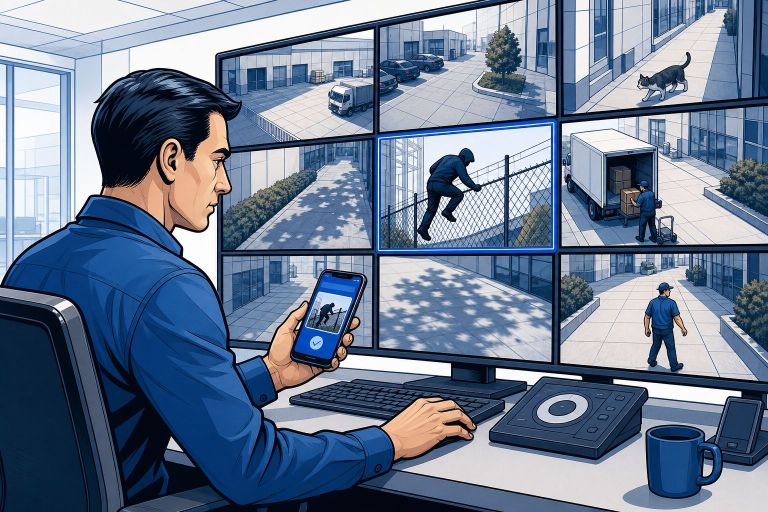
The guard at the monitor wall
Your cameras already detect events. That is the easy part, and it is where most systems stop: something moved in zone three, here is an alert, good luck.
SmartGard.AI is the part that looks at the picture and decides whether you need to know. It reads the scene the way a person would – who or what is there, what they appear to be doing, whether that belongs here at this hour. The difference is the difference between “motion in zone 3” and “a forklift is blocking emergency exit B”.
One of those you learn to ignore. The other you act on.
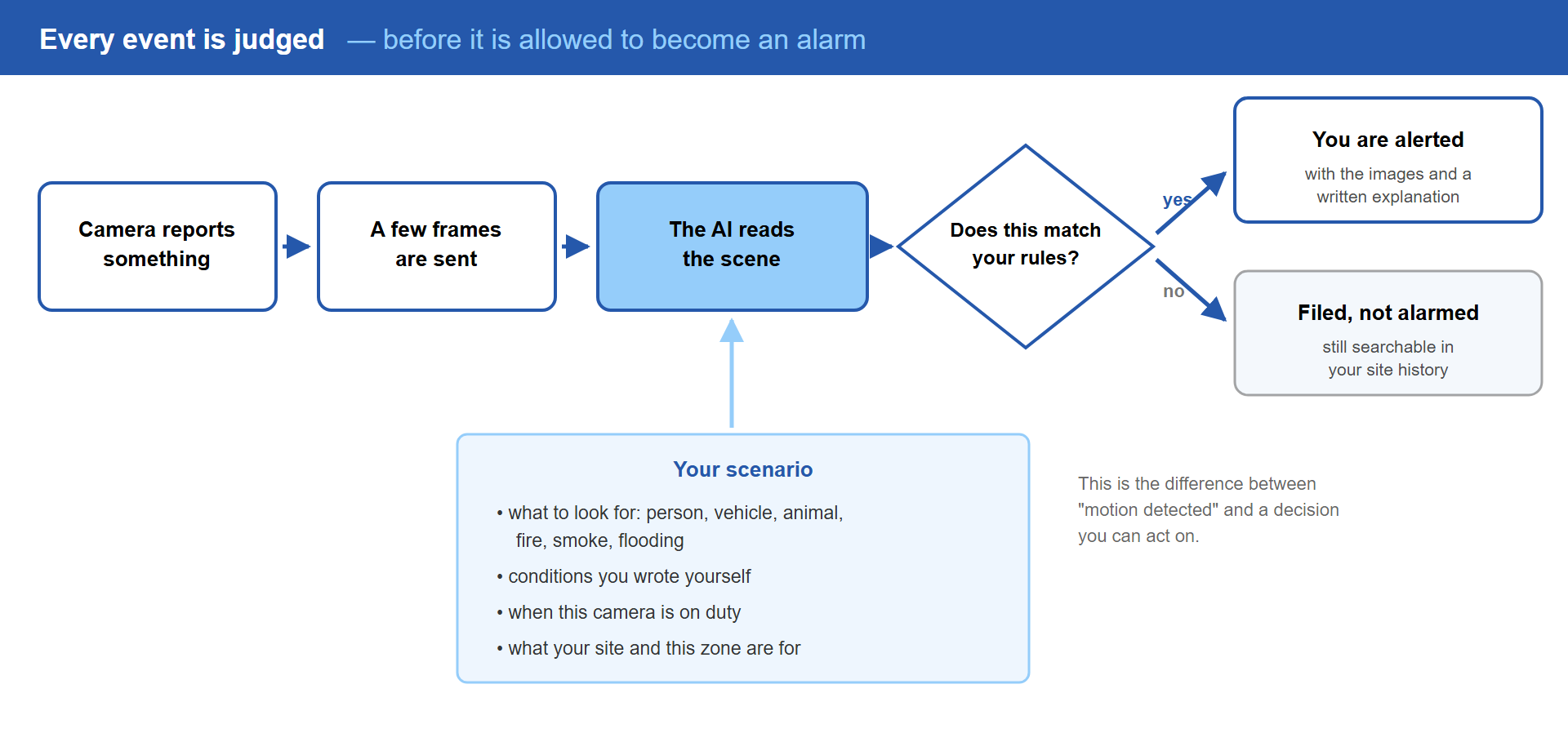
Click the diagram to enlarge
It fixes the picture before judging it
Real cameras produce imperfect images. Night scenes go dark and grainy, an entrance facing the morning sun goes to white, a lens picks up dust and everything softens.
SmartGard.AI measures each frame and corrects it before any judgement is made: under- and over-exposure pulled back into range, contrast balanced, sharpening applied only when the image is genuinely blurred rather than as a blanket filter. It is configurable per camera, so the one awkward camera on your site gets the treatment and the well-behaved ones are left alone.
A guard who cannot see clearly is not much of a guard.
Your rules, in your words
The unit of configuration is a scenario – your post orders for a camera.
A scenario says what to look for. There are the standard detections you would expect: a person, a vehicle, an animal, fire, smoke, flooding. Then there are the conditions you write yourself, in plain language, because no vendor’s tick-box list covers your site:
“Alert me if anyone is on the roof.”
“Flag any lorry parked in the loading bay for longer than the bay allows.”
“Tell me if the chemical store door is open outside working hours.”
You can also give a camera a reference picture – a photograph of how the scene looks when everything is as it should be. The AI compares against it, which turns “is there anything wrong here” into a far easier question than it sounds.
Everything the system knows about your site feeds the judgement too: what the business does, what each zone is for, what normal looks like on a Tuesday. That context is why the same person in the same coat produces silence in the car park at noon and an alert at the fence line at three in the morning.
On duty when you want it
A guard works a shift. So does this one.
Scenarios follow weekly arming schedules, with calendar exceptions for the days that break the pattern – bank holidays, a shutdown week, the Saturday the contractors are in. When something comes up that no schedule anticipated, a temporary override handles it in one tap: disarm this camera for two hours, the roofers are working.
Everything is evaluated in your site’s own time zone, which sounds obvious until you have used a system where it is not.
It remembers what just happened
A single frame is a poor witness. Enable event history on a scenario, and the AI sees what that camera has reported over a recent window – anything from a minute to twelve hours, and optionally only the events that raised alarms.
That changes the question it can answer. “A person at the gate” is one thing. “The third different person at this gate in ten minutes” is another thing entirely, and only one of them is worth waking someone for.
A second opinion before your phone rings
For the cameras where a mistake is expensive, a scenario can bring in a second AI model, from a different provider, on every analysis.
You choose how the two verdicts combine:
- Both must agree before an alarm reaches you. Fewer false alarms, at the cost of occasionally letting a marginal case through.
- Either can raise it. More sensitive, catches what one model alone might have talked itself out of, at the cost of more alerts.
Worth being precise about what this is: the second model sees the same frames and is asked the same question, so it is a genuine second opinion from a different vendor’s judgement – not a separate observation of the scene. Two models can still be wrong about the same difficult picture. It is a meaningful safeguard, not a guarantee.
The end of alert fatigue
The most dangerous thing about a noisy camera system is not the noise. It is what the noise trains people to do, which is stop looking.
SmartGard.AI attacks that at three separate points:
At the source. A camera that fires repeatedly is calmed down on your premises – follow-up events from the same camera inside a configured window are dropped before they leave the building. They cost nothing to analyse because they are never analysed.
At the judgement. Everything that does come through is assessed against your rules before it is allowed to become an alarm. This is where the bulk of the false alarms die, and it is the single biggest reason people describe the change as significant.
At your phone. Each zone has its own cool-down window, so a genuinely busy area produces one meaningful alert rather than a burst of near-identical ones.
When your phone buzzes, it should mean something. That is the entire design goal.
A searchable memory of your site
Every analysed event is kept with its written description, what was detected, where, and when. Time of day and weather are recorded alongside.
Which means “show me every vehicle at the back gate last week” is a query you run in a few seconds, rather than an afternoon spent scrubbing through footage hoping to recognise the moment.
Test it before you trust it
New rules are guesses until they meet reality. So before you switch one on, you can run it against your own historical events – real frames from your site, the same models, the same analysis – and read exactly what the AI would have said.
No live alarms are raised. Nobody’s phone goes off. You simply see whether the rule behaves, adjust the wording, and run it again.
It is the closest thing to trying a guard out on a quiet shift before giving them the keys.
Frequently asked questions
What happens if the AI is unsure?
It says so. The written analysis records what it saw and how it reached its conclusion, including where the picture was ambiguous. You decide whether that scenario needs tightening, needs a second model, or was right to stay quiet.
Can I see why it decided something?
Yes, on every single event. Each analysis is stored with the images and the AI’s own explanation. Nothing is a black box you have to take on faith – if a decision looks wrong, you can read the reasoning and change the rule that produced it.
Does every event cost me money?
Only events that are actually analysed. Ones suppressed on your premises never reach the cloud and never cost anything, and scenarios that are disarmed do not run. Usage is metered per site and broken down per camera and per scenario in the app.
What if one of my cameras fires constantly?
Two answers. Short term, per-camera throttling on your premises stops the flood at source. Longer term, that camera is telling you something – a badly aimed detection zone, a swaying branch, a light that trips it every night – and the event history makes the pattern obvious enough to fix.
Does it work at night?
Yes, and night is where the image correction earns its keep. Frames are corrected before analysis, and the scenario can require a second model on the cameras where night-time mistakes matter most.