

AI CCTV = Smart CCTV
Motion is cheap. Understanding is not.
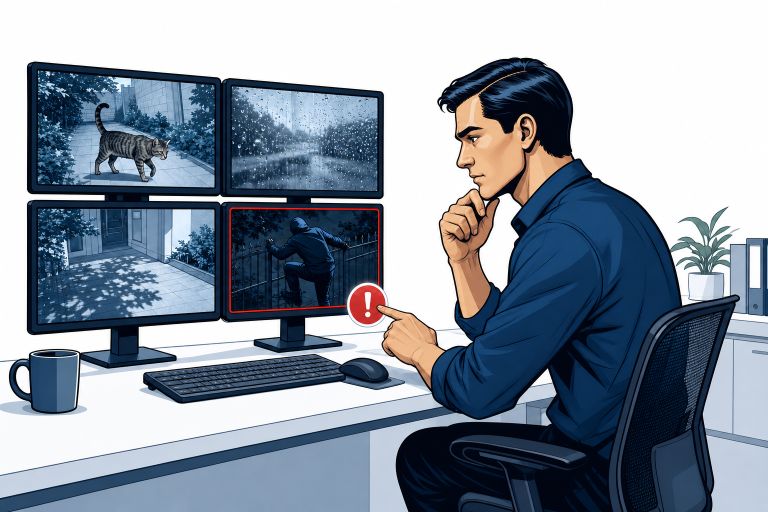
Most CCTV systems record everything and understand nothing. They detect movement – a cat, a shadow, rain on the lens – and the alerts become background noise within a fortnight.
SmartGard.AI connects to the IP cameras you already own and puts a virtual security officer behind them: one that looks at the actual images, understands the scene, and only calls you when your conditions are genuinely met.
No new cameras. No new recorder. No rip-and-replace.
Two jobs, the same as a human guard
AI Alarm Verification
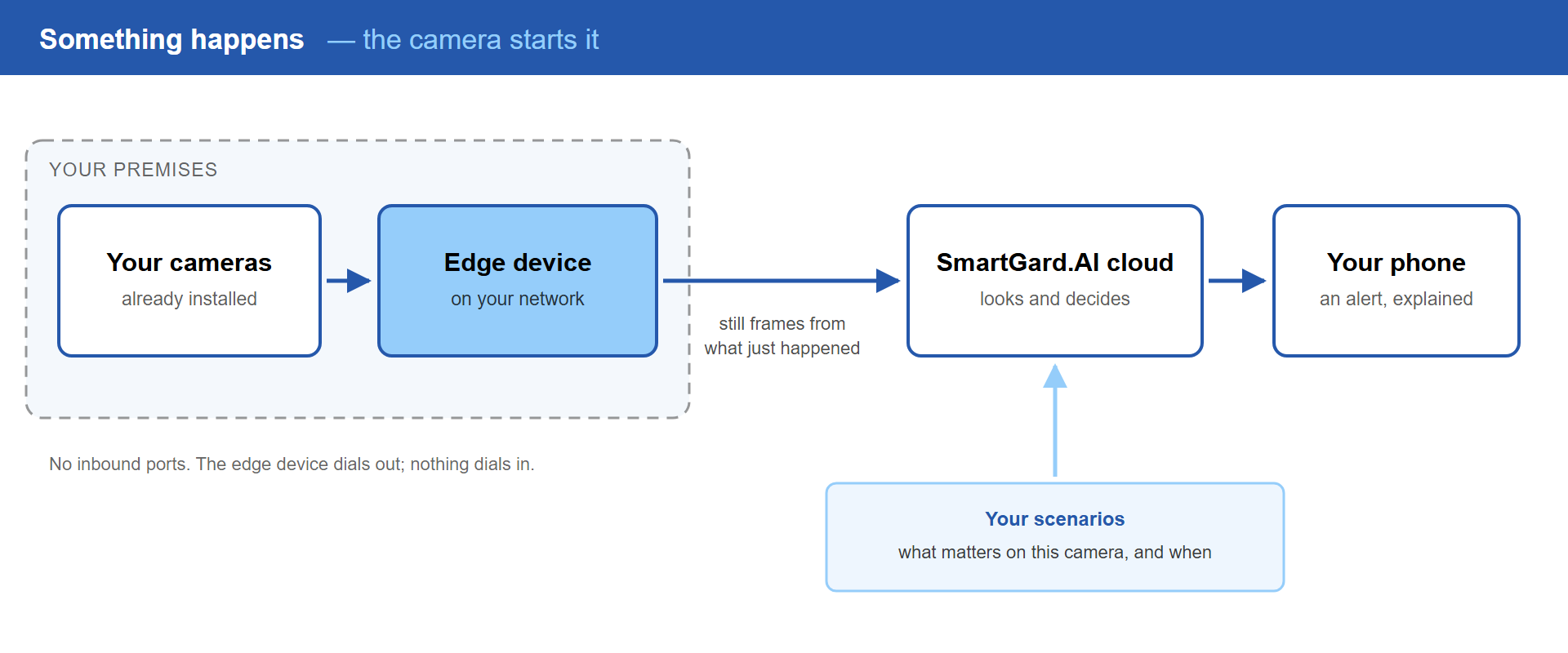
The camera starts it
Click the diagram to enlarge
Every event your cameras report is judged against your rules before it is allowed to become an alarm. What reaches your phone is a sentence explaining what happened, with the images to prove it.
Virtual Patrol
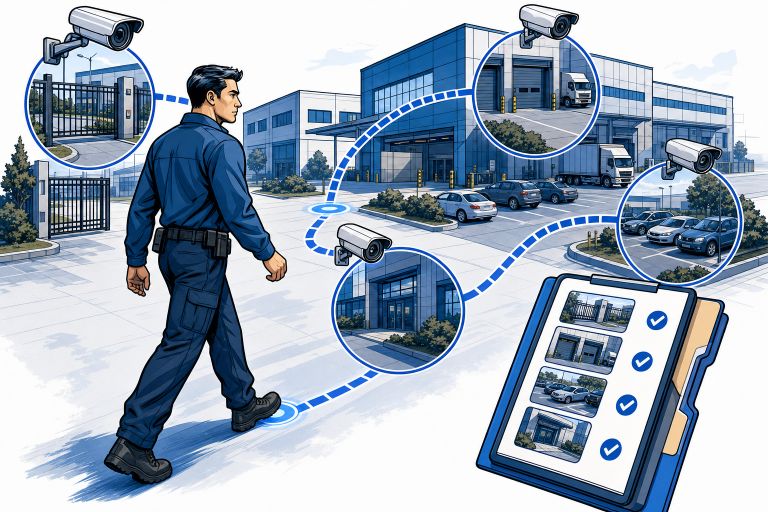
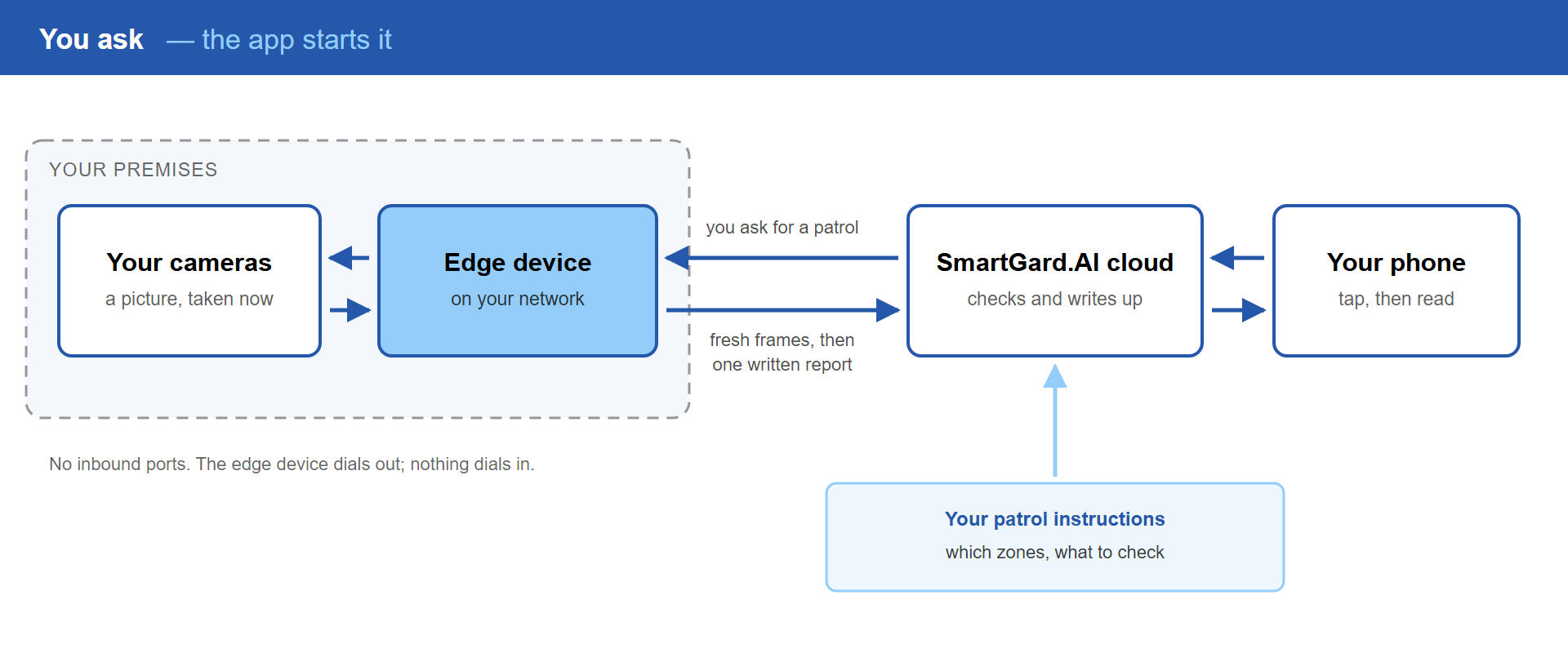
You start it
Click the diagram to enlarge
Tap a button, or set a schedule. SmartGard.AI takes a fresh picture from every camera in the zones you chose, checks each against your instructions, and writes one report with the photos and a PDF.
Explore the system
AI Alarm Verification
Scene understanding, your own rules in plain language, and the end of alert fatigue.
Virtual Patrol
Guard tours on demand or on a schedule, with a written report and a PDF at the end.
How It Works
Four parts, one edge device, no open ports. The architecture in plain English.
Privacy
What leaves your site, what stays on it, and what the system never does at all.
Add to Existing CCTV
Keep your cameras and your recorder. Add the guard on top of what you own.
As part of a new installation – if we design and fit your CCTV, SmartGard.AI is built in from the start, with cameras positioned and zones defined while the site is being surveyed.
Our installation service →
Added to the system you already have we audit what is there, confirm what can report events, and add the guard without touching the rest.
Adding SmartGard.AI to existing CCTV →
Everything it does
| What SmartGard.AI does | Included |
|---|---|
| Watching your cameras | |
| AI scene understanding ? | ✓ |
| Standard detections ? | ✓ |
| Conditions you write yourself ? | ✓ |
| Automatic image correction ? | ✓ |
| Reference picture comparison ? | ✓ |
| Recent event history in the analysis ? | ✓ |
| Second-model confirmation ? | ✓ |
| Arming schedules and exceptions ? | ✓ |
| Per-zone alert cool-down ? | ✓ |
| Event throttling at the source ? | ✓ |
| Walking the rounds | |
| Patrols on demand ? | ✓ |
| Scheduled patrols ? | ✓ |
| One written report, with photos ? | ✓ |
| Report voice and language ? | ✓ |
| Camera health checked every round ? | ✓ |
| Recent events folded into the round ? | ✓ |
| Setting it up and living with it | |
| Setup by describing it ? | ✓ |
| Test a rule before you trust it ? | ✓ |
| Searchable site history ? | ✓ |
| Roles and per-person alerts ? | ✓ |
| Usage metering per camera and rule ? | ✓ |
| Privacy and resilience | |
| Works with your existing cameras ? | ✓ |
| No inbound ports ? | ✓ |
| On-premise blurring ? | ✓ |
| Expiring image and report links ? | ✓ |
| Live frame and live stream ? | ✓ |
| Cross-vendor AI backup ? | ✓ |
You don’t install SmartGard.AI. You hire it.
It is brought in the way you would onboard a new security guard – and that briefing is exactly where its intelligence comes from. The better the briefing, the better the guard.
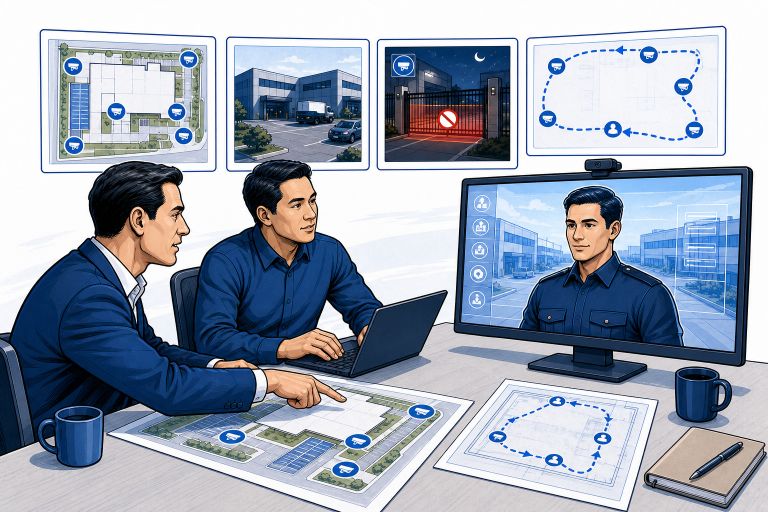
| Briefing a human guard | Onboarding SmartGard.AI |
|---|---|
| A tour of the site | Cameras mapped to zones, described in your own words |
| “Here’s what we do here” | A free-text site context: the business, the hours, what normal looks like |
| Post orders: what to watch for | Scenarios – your rules per camera, including conditions you write yourself |
| The patrol route and checklist | Patrol definitions – which zones to walk, what to check, how to report |
You are not left filling in forms alone: describe it in one sentence and a built-in assistant drafts the configuration, asking the questions a new hire would ask.
Built around your site, and still being built
The configuration is yours, not a preset. Zones described in your own words. Up to three conditions per camera, written in plain language. Patrol instructions you dictate, and a report written in the voice you choose. Two sites in the same trade end up with different setups, because the guard is briefed differently.
The system is actively developed. New capabilities ship regularly and reach your site without anyone climbing a ladder – the difference between software and a camera whose firmware was last touched the year you bought it. To be clear about what that means: we improve it and release updates. The system does not rewrite its own rules.
And if the configuration doesn’t cover it, say so. SmartGard.AI is built in-house, so a request does not join a queue behind a thousand other customers. More than one feature in the product started as a single site’s awkward requirement – something nobody here had thought of until somebody with a real gate and a real problem described it. Not every idea makes it in, but you get a straight answer rather than a ticket number.
What you need
- IP cameras that can report events – through an HTTP alarm host, ONVIF events, or the manufacturer’s SDK
- A small edge device on the same network, which dials outward, so no ports are opened
- An outbound internet connection
What SmartGard.AI is not
It is not a certified life-safety alarm system. It is a triage and awareness tool that decides what deserves your attention and explains it, with a person in the loop on the calls that matter. It does not replace a monitored intruder alarm or a fire detection system.
And it will occasionally get things wrong – no guard is infallible. The difference is that every decision comes with the images and a written explanation, so you can read it, tighten the rule, or replay it against your own historical footage until it behaves.
Frequently asked questions
Do I need to replace my cameras or my NVR?
No to both. SmartGard.AI works on top of IP cameras that can report events, and your recorder keeps recording exactly as it does today.
What does it cost to run?
Analysis is metered, and the meter follows activity on your site rather than the number of cameras you own. A quiet night costs almost nothing.
Does it recognise faces?
No. No facial recognition, no biometric identification. Faces and licence plates can be blurred on your premises before an image leaves the site. More on privacy →
Can I try it on a few cameras first?
Yes, and it is the usual way in – start with the zones that cause the most trouble.